
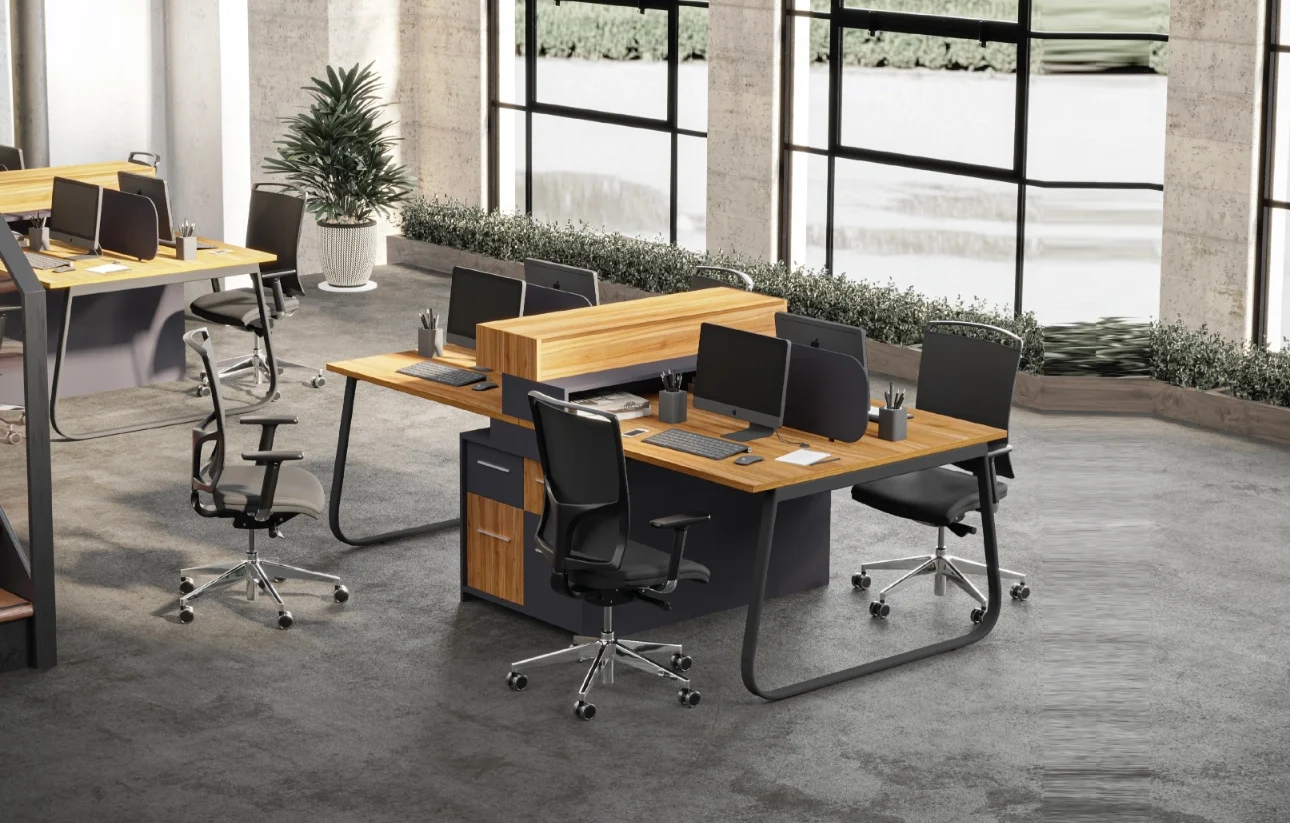
When you think about workplace injuries, what comes to mind? Heavy lifting accidents? Slips and falls? While those are real concerns, the most common workplace injuries happen right at the desk — from back pain to wrist strain and eye fatigue.
The culprit? Poor workstation design.
Many people assume that sitting at a desk is safe, but research shows that ergonomic issues contribute to over 30% of work-related injuries. The good news? Ergonomic workstation tables can prevent these injuries, keeping employees healthy and productive.
We’re breaking down some common myths vs. facts about workplace injuries and how the right workstation table can make all the difference 👇
🛑 Myth #1: “Workplace Injuries Only Happen in Physical Labor Jobs”
✅ Fact: Office workers are at high risk of musculoskeletal disorders due to poor ergonomics.
You don’t need to work in a warehouse to experience workplace injuries. Sitting at a desk for hours with poor posture can be just as damaging as heavy lifting.
🔹 What happens?
- A non-adjustable desk forces you into a position that strains your back, shoulders, and neck.
- A low or too-high workstation can lead to wrist injuries like carpal tunnel syndrome.
- Poor screen positioning causes eye strain and headaches.
🔹 How an Ergonomic Workstation Table Helps:
✔️ Adjustable height prevents slouching and supports natural posture.
✔️ Spacious, clutter-free surfaces allow for proper keyboard and monitor positioning.
✔️ Sit-stand flexibility encourages movement, reducing stiffness and fatigue.
📌 Quick Stat: Studies show that ergonomic workstations reduce musculoskeletal injuries by 61% in office environments.
🛑 Myth #2: “A Standard Office Desk Is Just Fine”
✅ Fact: Traditional desks are one-size-fits-all, but people are not.
Most office desks are designed with a fixed height, forcing employees to adjust themselves instead of the workstation adjusting to them.
🔹 What happens?
- Employees hunch over or stretch awkwardly, leading to chronic back pain.
- Monitors are too low, causing neck strain (a.k.a. “tech neck”).
- Keyboard and mouse placement is off, increasing the risk of repetitive strain injuries (RSIs).
🔹 How an Ergonomic Workstation Table Helps:
✔️ Adjustable tables fit every employee’s height and posture needs.
✔️ Proper monitor positioning reduces neck and shoulder strain.
✔️ Rounded edges prevent wrist pressure points.
📌 Ergonomic Rule of Thumb: Your elbows should be at a 90-degree angle when typing, and your monitor should be at eye level — both are impossible with a standard desk!
🛑 Myth #3: “Sitting All Day Is Fine as Long as You Have a Good Chair”
✅ Fact: Sitting too long increases the risk of obesity, diabetes, and heart disease — no matter how great your chair is.
🔹 What happens?
- Sitting for long periods slows blood circulation, leading to fatigue and discomfort.
- Staying in one position for too long weakens muscles and contributes to joint stiffness.
- Studies link prolonged sitting to higher risks of cardiovascular disease.
🔹 How an Ergonomic Workstation Table Helps:
✔️ Sit-stand desks reduce sitting time and encourage movement.
✔️ Alternating between sitting and standing improves posture and blood circulation.
✔️ Active workstations boost energy levels and focus.
📌 Quick Fact: The American Journal of Public Health found that reducing daily sitting by just one hour can lower the risk of early death by 14%!
🛑 Myth #4: “Standing Desks Are Just a Trend”
✅ Fact: Sit-stand desks are scientifically proven to improve health and productivity.
Standing desks aren’t just a modern office gimmick — they’re backed by research. Studies show that alternating between sitting and standing improves focus, energy, and overall health.
🔹 What happens when you stand more?
✔️ Reduces back pain by 54%
✔️ Increases calorie burn by 50 calories per hour
✔️ Boosts mood and energy levels
🔹 How an Ergonomic Workstation Table Helps:
✔️ Height-adjustable design lets employees easily switch between sitting and standing.
✔️ Encourages movement, reducing stiffness and discomfort.
✔️ Supports a more active work environment, enhancing productivity.
📌 Did You Know? Employees who use sit-stand desks report 45% higher workplace satisfaction compared to those using traditional desks.
🛑 Myth #5: “Ergonomic Workstations Are Too Expensive”
✅ Fact: Investing in ergonomics saves businesses money in the long run.
While ergonomic workstation tables may have a higher initial cost, they result in fewer workplace injuries, less absenteeism, and higher productivity.
🔹 How workplace injuries impact businesses:
- Companies spend billions annually on work-related injuries.
- Employees suffering from back pain or wrist strain are less productive.
- Poor ergonomics leads to higher employee turnover and dissatisfaction.
🔹 How an Ergonomic Workstation Table Helps:
✔️ Reduces workplace injuries, lowering healthcare costs.
✔️ Boosts productivity, helping employees stay focused and efficient.
✔️ Creates a healthier work culture, improving retention and morale.
📌 ROI of Ergonomics: The Washington State Department of Labor found that every $1 invested in ergonomic workstations saves businesses $17 in injury-related costs.
THE TRUTH ABOUT ERGONOMIC WORKSTATIONS: A GAME-CHANGER FOR WORKPLACE HEALTH
At Benchy, we believe that a well-designed workstation is an investment in employee health, productivity, and workplace efficiency.
🔹 What Benchy’s Ergonomic Workstation Tables Offer:
✔️ Adjustable height for customized comfort
✔️ Spacious, ergonomic designs to prevent injuries
✔️ Sit-stand flexibility for a more active workday
✔️ Premium materials for long-lasting durability
We create more than desks — we create workspaces that inspire health and productivity.
🚀 Visit benchy.in to explore our collection.


